Stop Reading Changelogs: Safer Kubernetes upgrades with simulation
SRECon 2026 Talk Transcript
Quick note for my subscribers: In an effort to try to get a few more paid subscriptions to this blog, I’m running an experiment where I keep the “paid subscribers only” period for a week, instead of just “over the weekend”. I will still publish all of my posts publicly, but if you want to read it earlier, you’ll need to be a paid subscriber. As a reminder: paid subscriptions to the blog don’t pay my bills, but they help get me and Ian to conferences, which is where we meet the people who do pay our bills. So I very much appreciate everyone who is already supporting us, and look forward to getting even more!
Last week I had the privilege of giving a talk at SRECon Americas in Seattle; the recording of the talk will be published in a few weeks, but I thought for this post I’d do something a bit different and write an (approximate) transcript of the talk for those of you who don’t want to wait and/or prefer reading things to watching videos. The talk is, of course, about SimKube: I hope you enjoy! I’ll update this with a link to the talk once it’s posted.
Thanks all for coming; the title of my talk today is “Stop Reading Changelogs: Safer Kubernetes Upgrades with Simulation”.
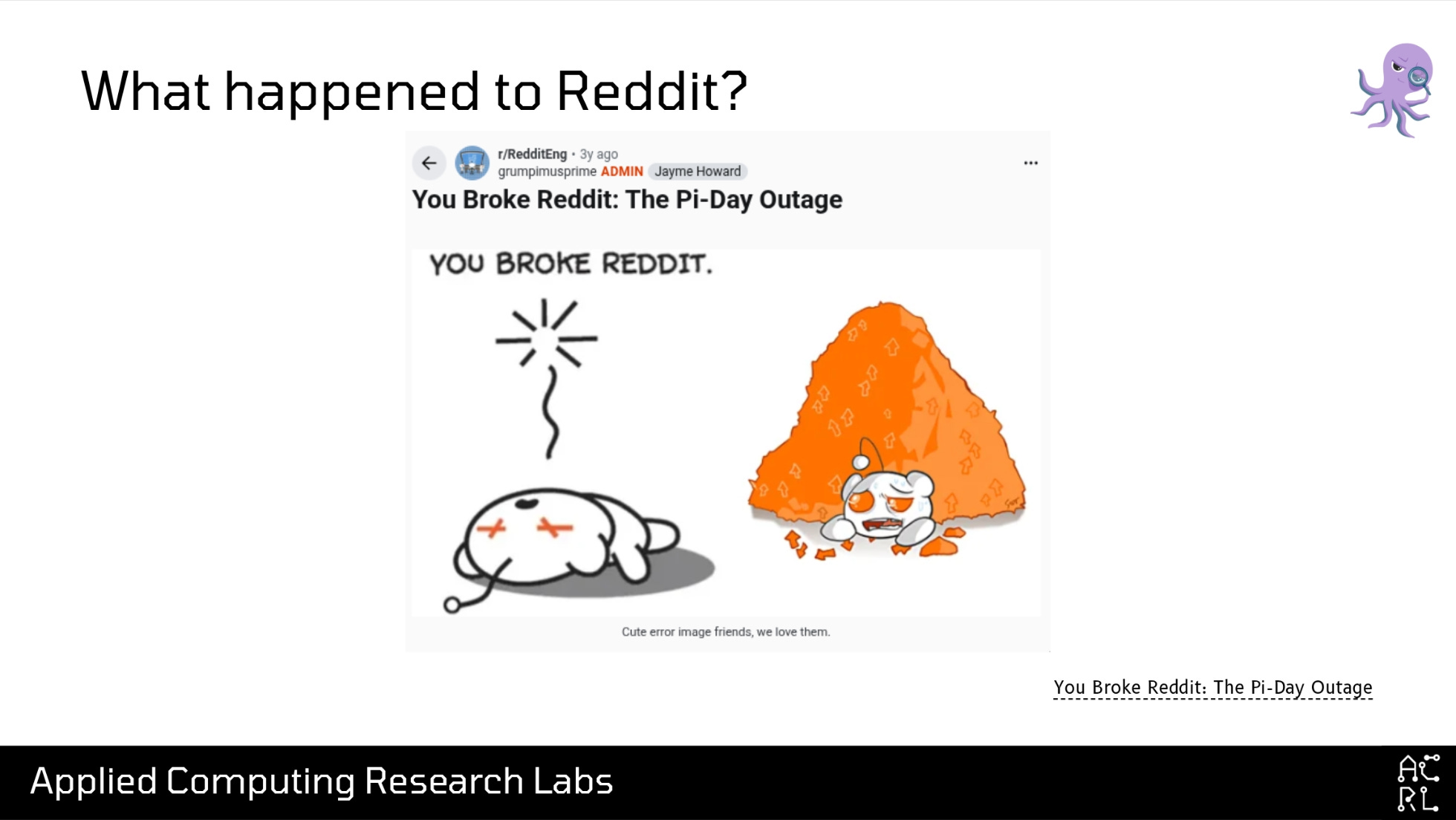
On Pi Day three years ago, March 14, 2023, Reddit suffered a 100-pi-minute long outage, a 314-minute outage. In the extremely detailed and well-written postmortem, it was revealed that one of the primary causes of this outage was a Kubernetes version upgrade from Kubernetes 1.23 to 1.24. Specifically, in this upgrade, Kubernetes changed one of the labels that was applied to its control plane nodes, and Calico, the service mesh component used by Reddit at the time, was using a label selector that pointed to the old label for the node instead of the new label. This caused Reddit to go hard down for around 5 hours.
Now: I was not a Reddit engineer at the time of this outage and I am not a Reddit engineer now. In fact, I have never been a Reddit engineer, and I also know for certain that there are Reddit engineers in the audience today who were employed at Reddit at the time this incident happened. So let’s take a detour to answer the question, “Who the heck am I and what am I doing here?”
Hi! My name’s David; I go by drmorr on the internet, and I use this cute little grumpy red robot icon basically everywhere. I received my PhD in Computer Science from the University of Illinois in 2014, where I was focused on scheduling and optimization problems. From there, I got my first introduction to distributed systems at Yelp, which at the time was unhappy with the amount of money they were paying to AWS, and asked me to use my optimization skills to help them pay less money to AWS. Of particular note for this talk, while I was at Yelp I wrote my first distributed systems simulator, a simulation engine for Apache Mesos that we used to try to understand some of the cost-reduction changes we wanted to make. From Yelp I went to Airbnb, doing more of the same: scheduling, autoscaling, and cost optimization, before finally starting ACRL—a small business focused on open-source research and development in distributed systems. One of ACRL’s primary projects is a simulation environment for Kubernetes called SimKube.
With that out of the way, let’s go back to the topic at hand: why are Kubernetes upgrades so challenging? In the screenshot on the right, you can see the Kubernetes release schedule, and the main takeaway from this is that a new Kubernetes version is released every fourteen weeks—that’s three new versions a year. This is an extremely aggressive release cycle, and one that is difficult to keep up with. It’s easy to find many links on the Internet like this one, entitled “Managed Kubernetes Cluster Upgrades are a Total Nightmare”. What makes them so hard? Well, the primary reason is that upgrading Kubernetes requires performing upgrades to n independent control loops in a correct-but-unknown order. Threads like the above are filled with debates about whether you should do this process “in-place” or via a “lift-and-shift” approach where you spin up a cluster on the new version and then migrate your workloads over: and to be honest, both approaches have their tradeoffs.
I want to also look at what the typical upgrade process looks like at many organizations. Step 0 in this process is “someone tells you to upgrade”. Now, that person might be your boss, but more likely it’s one of the managed cloud providers. If you run on EKS, Azure, or GCP, you are going to be forcibly upgraded on a regular cadence; in some cases it might be possible to pay the cloud providers more money to stay on an older version, but that’s a stopgap solution that only delays the inevitable. At some point, you must upgrade.
So once you’ve decided to do the upgrade, you might decide that the reasonable next step is to read the changelog. On the right of this slide is an example for the Kubernetes 1.34 changelog. The text is probably too small for you to read in the back, but buried in the middle of this 2000-line-long markdown file are two bullets: the first reads “Urgent Upgrade Notes”, and the second sub-bullet says, in parentheses, “(No, really, you MUST read this before you upgrade)”. Again, this is in the middle of a multiple-thousand-line markdown file that users are expected to read.
But OK: you’ve read the changelog. The next step is likely to spin up (or utilize an existing) test environment, where you can deploy something that looks approximately like your production workload, and play whack-a-mole with the issues that crop up until you’re reasonably confident you got them all. Then you’re ready to upgrade in prod! You might start with your lowest-risk clusters, and gradually move to more critical clusters as you gain confidence in the rollout. Whoops! You missed one. I hope you have PagerDuty configured correctly.
And now you have a problem, because there is NO supported rollback plan for Kubernetes. Your choices are either, restore from a backup (you do have a backup, right? Does it work? Are you sure?) or to roll forward and try to identify and fix your broken cluster. This is exactly the choice that Reddit was faced with in their Pi Day outage.
However, there’s one point in this upgrade process that seems promising, and that’s this test cluster idea. Test clusters seem great! Why don’t we do more of those? In my experience, there’re three reasons why: first is that provisioning a new cluster is hard. I’ve been at some organizations where you can push a button and get a new cluster in about 30 minutes. I’ve been at other organizations where you have to make 10 changes in 20 different repos, and if you’re lucky you might have a running cluster 3 weeks later. I’m sure many organizations fall somewhere on that spectrum. But in any case, even waiting 30 minutes for a new cluster introduces a lot of friction when you have to repeatedly spin up and tear down an environment while you test things out.
The second reason why test clusters aren’t as effective as they could be is that they’re expensive. Particularly if you’re doing any sort of scale or load testing (and you want to do scale testing, because this is where the most gnarly and hard-to-detect issues live), it’s going to cost a lot of money. If you go to your boss and say, “Sure, I’ll happily do this upgrade, I just need a million dollars to run a thousand-node test cluster for a month,” they’re going to come back with, “No, try again.”
And the last reason why test clusters are hard is that replicating production is impossible. See, production has a bunch of annoying things like “users” and “network traffic” that you just don’t have even in a full-fledged staging or test environment. And you’re never going to be able to replicate and test all of that stuff.
Surely there’s a better way to do this? I think so! So in this talk I’d like to introduce SimKube.
Now, on this slide is a picture of a bridge. This is a picture I took of Tower Bridge, a local Sacramento landmark; I’m from Sacramento, and—as an aside—it was 90 degrees there last week, so I’m very happy to be in Seattle where it’s in the fifties. But anyways, back on topic: why is there a bridge? Well, in many other engineering disciplines, simulation is a common tool. Civil engineers would never build a bridge without simulating it first. Aerospace engineers would never build an airplane without simulating it first. And yet, in my experience, in our discipline, simulation isn’t a tool that’s reached for very often. Why not?
I think there are a number of reasons, but a significant one is: distributed systems are already hard. And simulating them is even harder. However, in the case of Kubernetes, I think there are two things going for us: the first is the declarative nature of the system. It’s a well-known design goal of Kubernetes that you write down the desired state of the system, and the Kubernetes control loops will try to move the observed, actual state of the world to that desired state. In other words: YAML. I know we all love to hate YAML, but for the purposes of simulation, I think it’s really beneficial. We can track, in a simple, easy-for-humans-and-computers-to-read format, the changes in the desired state of the system over time. And then we can record all of those changes into a trace file, which we can then replay in our simulated environment as many times as we want! Nifty.
The second feature of Kubernetes that helps with our simulation goal is the extensible API and custom controllers that Kubernetes supports—no, you know what, I’m kidding, this one’s YAML again. See, from the perspective of Kubernetes, a “node” is just a YAML blob that’s been written to etcd. It doesn’t care if there’s any real hardware backing that node. And a pod is just a YAML blob that’s been written to etcd. Kubernetes doesn’t care if there’s a real binary behind that YAML! So, if you believe really really hard that the node object that you wrote to etcd is real, then Kubernetes is going to believe it too; and likewise, if you believe, really really hard that your pod is real, Kubernetes will believe it too. And that’s exactly what KWOK, the Kubernetes WithOut Kubelet project, which underlies SimKube does: it is a custom controller that watches for Node and Pod resources that have been created in etcd, and it walks those resources through their lifecycles.
So with that, we can finally talk about how SimKube works. This next slide is a high-level architecture diagram of SimKube: I don’t care if you understand the details, all I want you to take away from this is that on the left, we have our real, production Kubernetes cluster. Inside that cluster, we have a small agent running that’s tracking all of the changes made to the YAML files describing that cluster; at any point in time, a user can then export those changes into a trace file, which get written to some persistent storage, and then replayed in the simulation environment on the right.
Let’s actually watch a demo so you can get a better idea of what I’m talking about.
In this demo, the first thing we’re going to look at is a trace file. I’m using skctl, the SimKube CLI tool, to inspect this trace file: as you can see, it’s just a timestampped series of events, and if we drill down into these events, you can see that it’s just Kubernetes manifests. This application implements a toy “social network” application, where you have microservices for browsing your timeline, writing posts, or analyzing the social graph. That’s not super important here, what’s important is that as the Kubernetes manifests for these services change over time, those changes get stored into the trace file.
So, let’s go ahead and run this trace file in our simulator. Once I do skctl run, it spits out a bunch of metadata for our simulation, and then it launches a driver pod in the simkube namespace. The driver is responsible for downloading the trace file and replaying all of the YAML inside it. We can look at the nodes on our cluster, and you see that I’ve got two real nodes (this is using kind on my laptop), and a whole bunch of fake nodes that have been provisioned by Karpenter and are backed by KWOK. We can also go into the namespace where the simulated pods are being created to see that they’re all running; we have a little over 1000 pods right now, but this simulation will actually scale up to about 5000 pods across a hundred or so nodes.
One thing I do actually want to call out here, if we look in this namespace we see that there’s a CronJob running, which is responsible for doing some cleanup actions in the user database. Now the thing about CronJobs is that they typically have a start and an end time. You might be wondering how that works in the simulation, since there’s no application code running to complete, but if you watch you’ll notice that these pods actually do complete! This is KWOK at work again: SimKube records information about the pod lifecycles and injects that into KWOK, and it takes care of walking the pod through its entire lifecycle.
Great! Now, you might have noticed that this cluster is running Kubernetes 1.24, which is pretty old, so let’s go ahead and try to upgrade. I’m going to switch over to another cluster on my laptop that’s running Kubernetes 1.25, and re-run that same simulation. I’d like to acknowledge that what you’re about to see is not the best user experience—we’re working on it. But, we start the simulation, the driver pod comes up, and then a few seconds later—whoops! It crashed. Let’s go ahead and look at the logs.
Inside the logs, we see a traceback, and the message at the top says that the requested resource cannot be found, and returns a 404. If we scroll up a bit further, we find the culprit: the CronJob that I highlighted earlier. Now if you know your Kubernetes history, you probably already know the punchline here. Kubernetes uses versioned APIs, which is how they are safely able to evolve their user-facing APIs over time, and between Kubernetes 1.24 and 1.25 the v1beta1 API was removed from Kubernetes. Our trace file was still referencing the v1beta1 API, and when we tried to apply that to the new cluster, it crashed.
This is cool! We’ve used simulation to identify a problem with our cluster. But we can take this one step further. SimKube includes a bespoke DSL called SKEL (the SimKube Expression Language) which you can use to make targeted modifications to your trace file. The type of modifications you can make are quite complex, but for this example we’re going to do one simple transformation. Here we’re selecting all resources that have kind equal to CronJob, and we’re replacing their apiVersion with batch/v1. Then we just use skctl to apply this transformation to our trace file, and we can try running our simulation again. And this time, it works! We can watch the driver pod, which crashed after about 10 seconds last time, and this time it keeps running. We can also go into the simulation namespace and confirm that the simulated pods are all present, including the CronJob pods.
So that’s SimKube, testing your Kubernetes upgrades! We can go even further, though: we’re all SREs, we like to automate things, so what if we just automate the entire process? Imagine if you regularly collect some traces from your production infra, store them in S3, and then periodically—maybe every time you need to upgrade, or maybe even just once a month to establish a baseline—you run those traces through a simulator, maybe as a CI job or something else? Well, it turns out you can do that too. We’ve released a free AMI that you can use to play around with SimKube, and soon we’ll have a GitHub runner that you can plug into your CI pipeline as well. In fact, we do exactly this on the SimKube repo: on the right you can see a screenshot of our GitHub actions, and on every merge to main we run an end-to-end test of SimKube on a few sample traces to ensure that the system is behaving properly.
To wrap up this talk, let’s revisit the things that made test clusters hard from the beginning: first, using simulation makes provisioning clusters easy. I can spin up a thousand-node cluster on my laptop in a couple of minutes.
Secondly, using simulation makes scale testing free. I mean, not free-free, you still have to have some hardware to run it on, but compared to the cost of a full production environment, we’re talking pennies. And, lastly, replicating your production environment is impossible!
Oh. Hmmm.
Ok, look. I don’t want you to walk out of this talk thinking that simulation is a silver bullet. The whole entire point of simulation is that you’re throwing out some part of your system in the hopes that it makes the analysis of the other part easier. The trick is knowing what part of the system you want to throw out while still maintaining the right level of fidelity. So here are three examples of places where SimKube struggles.
First, anything involving networking: since there’s no application code running, there’s nothing to respond to your network requests, which means testing load or network patterns won’t work. Secondly, I lied slightly earlier in the talk when I said that Kubernetes is 100% YAML – there are some components, like the Horizontal Pod Autoscaler (HPA) which make decisions based on the results of metrics like CPU utilization or other real-time data. SimKube can’t handle that yet—but unlike the networking thing, there’s nothing technically stopping us from providing fake Prometheus metrics data to the HPA, and in fact, this is something that I’m hoping to prioritize in the next year. And, lastly, any sort of integrations with, well, I wrote cloud providers here, but this could really be any third-party service, gets tricky. See, the cloud providers don’t even provide you access to the control planes of your cluster, so getting the right data out can be challenging. And other third party systems may be similar.
So those are some areas where SimKube specifically might struggle, but what I really hope you take away from this talk is that SimKube is just one tool in your toolbox. There are lots of other tools out there that can help to cover some of these areas. To close this talk out, I want to revisit the Reddit outage from the beginning. Here’s the question: “Would SimKube have prevented that outage?”
On the one hand, maybe yes? Reddit engineers could certainly have loaded up some production data into SimKube and tried to do their upgrade, and they could have seen that the control plane node labels changed and (potentially) Calico stopped registering routes. So, maybe if SimKube had existed back then, it would have prevented the outage. On the other hand, no, SimKube couldn’t have prevented that outage. The Pi-Day postmortem highlighted a host of factors contributing to the incident, only some of which were technical. And SimKube can’t do anything about those: again, it’s just a tool, and in order for a tool to be effective, you need people who know who to use the tool, when to use the tool, how to interpret the results from the tool, how to communicate those results, and so on and so forth. So SimKube isn’t the whole picture here, but I do think (and I hope I’ve convinced you) that it can be a really powerful part of the picture. It’s certainly one that I have a lot of fun working on.
So that’s I’ll I have for you today! I’ll close with these three links: the first takes you to simkube.dev, which is the documentation site for the project; the second takes you to my blog where you can read about how SimKube has been used; and the third is a calendar link. I love getting to chat with new folks, so if you have further questions or you just want to say hi, feel free to grab some time!
Thanks for your time, and I’ll be happy to take any questions that you have.
So that was the talk! I hope you enjoyed getting to read it, even if you weren’t able to see the talk in person. I got a lot of great questions and engagement, and I’m pretty excited to see where we go next! As always, thanks for reading.
~drmorr


